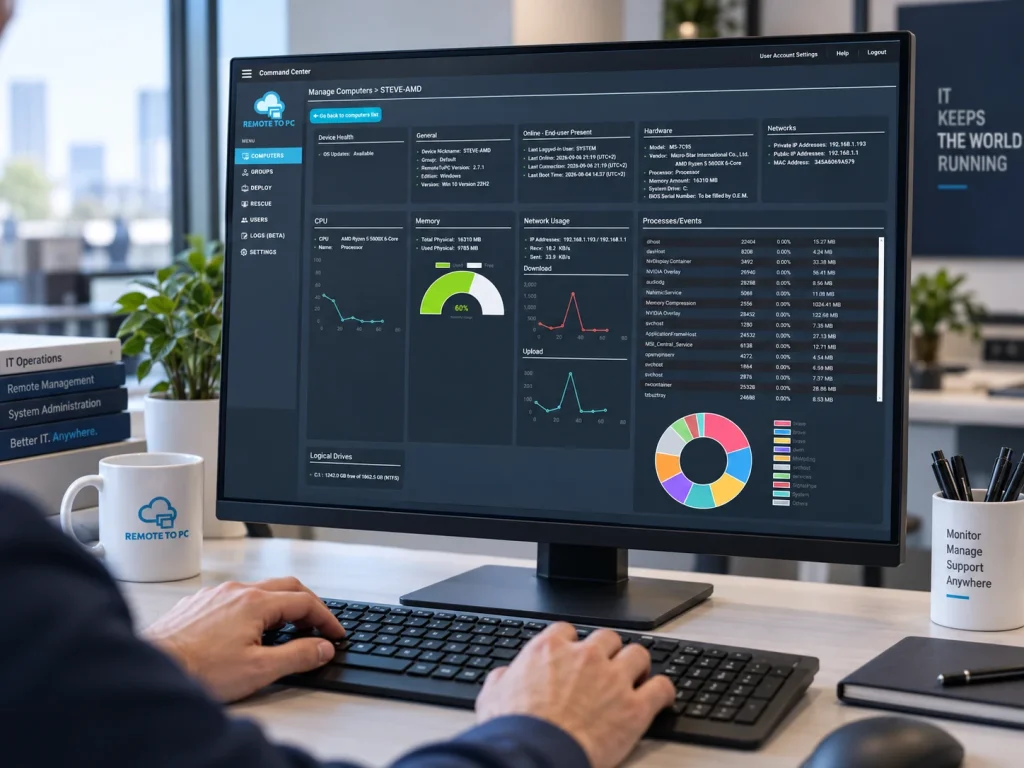
See What’s Happening Before You Remote In
Give your IT team the visibility they need. Check system health, view device details, monitor performance, receive alerts, and take key actions — all before opening a remote session.
- System health and performance
- View and end running processes.
- Email alerts for system issues
- Server heartbeat monitoring
- Reboot / Safe Mode / Wake-on-LAN
See Key System Information Before You Connect
Get a complete view of your remote computers with Advanced System Information. Check device health, hardware details, performance, running processes, and more -- so you can troubleshoop faster and only remote in when needed.
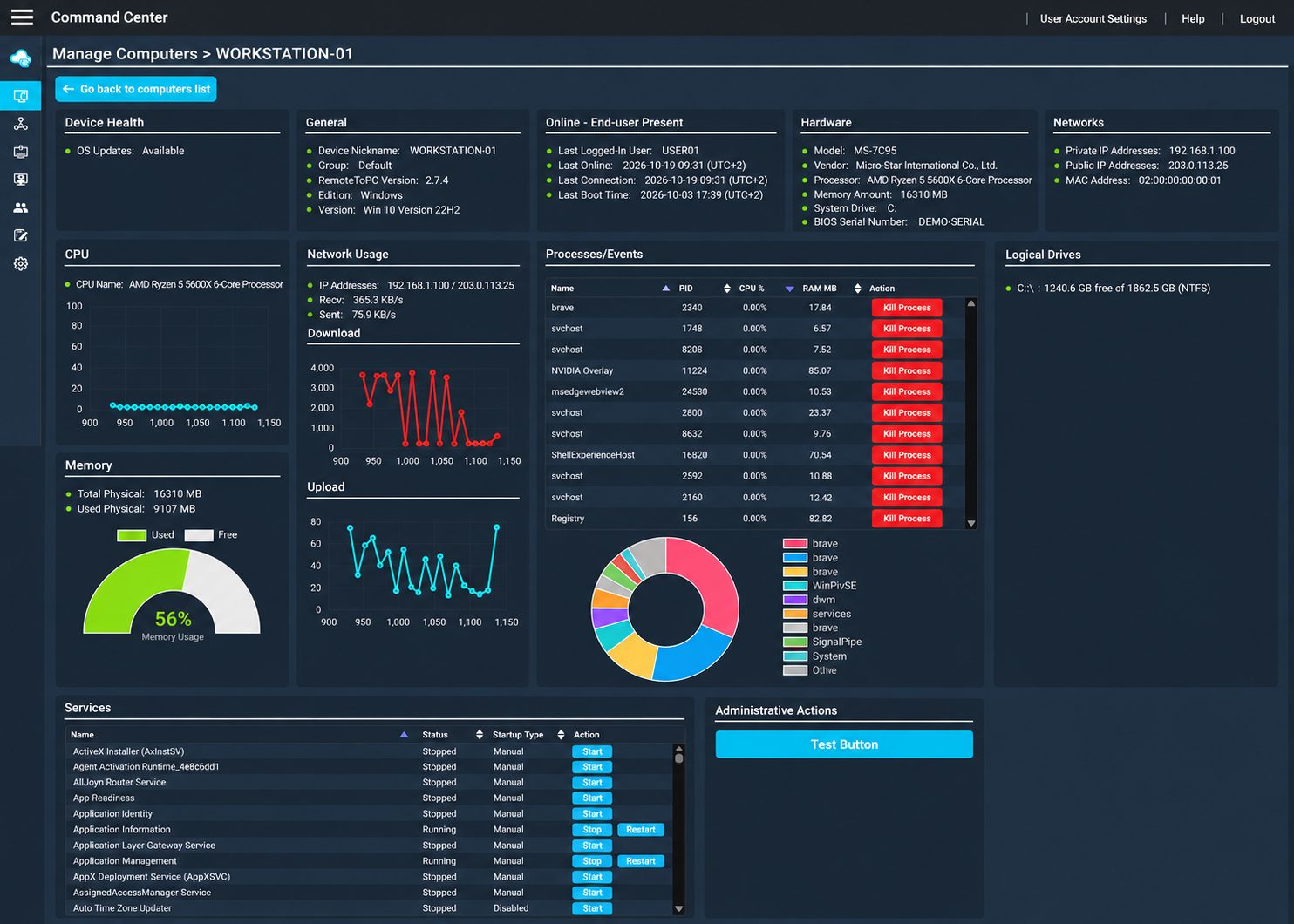
Device Health
See CPU, memory, disk and network basic health at a glance.
System Details
View device name, group, OS version, last online status, and hardware information.
CPU & Memory
Check real-time CPU, memory and performance information.
Network Usage
See IP addresses and live network activity.
Disk & Drives
View logical drives and available storage space.
Running Processes
See what’s running and end problematic processes remotely.
Email Alerts
Get email alerts when important system issues need attention.
Server Heartbeat Monitoring
Be notified when a monitored server goes offline.
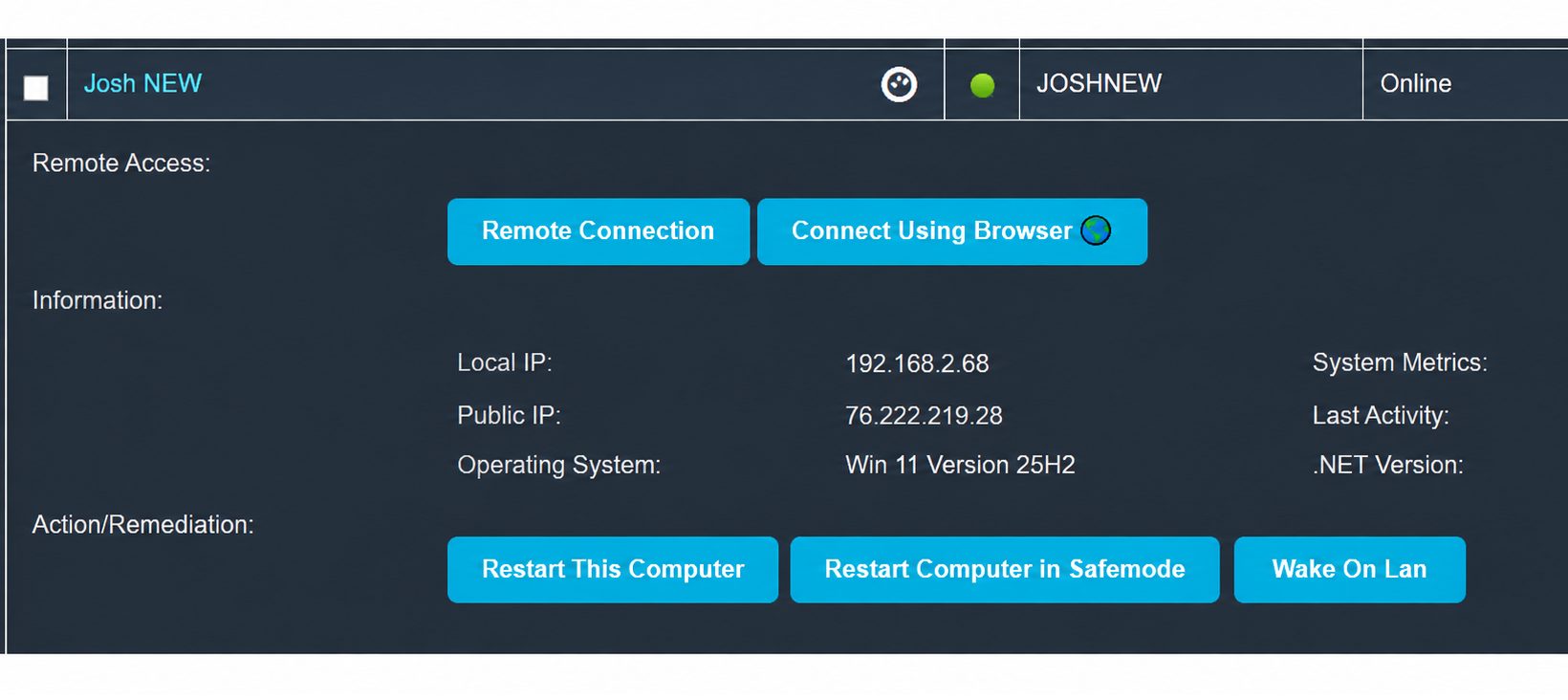
More Ways to Manage Without a Full Remote Session
Use quick actions from the computer list, then open Advanced System Information when you need deeper troubleshooting and control.
WORK RIGHT FROM YOUR COMPUTER LIST
Quick Actions from the Computer List
Get the information you need and take common support actions directly from your computer list — without opening a full remote session first
✓ Start a remote support session
✓ Reboot a computer or use Wake-on-LAN
✓ Use bulk actions across multiple computers
✓ Open Advanced System Information for deeper troubleshooting
Remote Computer Monitoring & Management Tools
RemoteToPC combines secure remote access with practical monitoring and management tools for IT teams. See system health, receive alerts, inspect detailed system information, manage running processes, and take common remote actions from one place.
Advanced System Information
View hardware, software, performance and more before you connect.
Remote Computer Monitoring & Alerts
Monitor system health and receive alerts for what’s important to you.
Server Heartbeat Monitoring
See when key servers are up or down and receive alerts.
Process Monitoring & Control
View running processes and end processes when needed.
Remote Reboot & Recovery
Reboot, restart in Safe Mode or use Wake-on-LAN.
Bulk Computer Management
Take action on multiple computers at once.
Multi-User IT Management
Give your team secure access with the right permissions.
Secure Remote Access
Connect securely when you need to, with strong encryption and session controls.
Remote Computer Monitoring for Everyday IT Support
RemoteToPC gives IT teams practical remote computer monitoring tools alongside secure remote access. From one Command Center, you can monitor system health, review CPU, memory and disk activity, receive alerts, inspect detailed system information, and see running processes before opening a remote session.
For teams managing multiple PCs and servers, this provides a simpler way to combine remote monitoring software, computer management software, and remote support without requiring a large enterprise management platform.
Remote Management Without Unnecessary Complexity
RemoteToPC helps technicians handle common remote system management tasks such as rebooting computers, restarting in Safe Mode, using Wake-on-LAN, viewing system information, working with multiple computers, and starting secure remote access sessions when hands-on support is needed.
The goal is straightforward: give IT teams better visibility into remote computers, help them identify problems sooner, and make routine remote computer management faster.
Why IT Teams Use RemoteToPC
Troubleshoot Before Connecting
See key system information, performance and running processes to identify issues faster.
Remote Actions Without a Full Session
Reboot, set Safe Mode, Wake-on-LAN and more directly from the computer list.
Remote In Only When Needed
Start a session only when data and action is needed, using information you’ve already reviewed.
Remote Monitoring and Management Tools for IT Teams
Get monitoring, alerts, system information and management tools — all in one place.
Monitor and Manage Remote Computers from One Place
RemoteToPC combines secure remote access with practical remote computer monitoring and management tools for IT teams. Monitor system health, receive alerts, review detailed system information, inspect running processes, and take common remote actions from one Command Center.
For teams looking for remote monitoring software, remote system monitoring software, or computer management software, RemoteToPC provides a straightforward way to monitor and support PCs and servers without the complexity of a large enterprise management platform. It also gives technicians the remote system management tools they need to investigate problems, manage computers, and connect remotely when hands-on support is required.
Frequently Asked Questions
RemoteToPC lets IT teams monitor system health and status from the Command Center, receive alerts, and review detailed system information before starting a remote session.
Depending on the computer and plan, you can review system information, reboot the computer, restart in Safe Mode, use Wake-on-LAN, work with bulk actions, and inspect running processes.
Yes. RemoteToPC can send email alerts for important system issues and server heartbeat monitoring.
Yes. RemoteToPC is designed to help IT teams monitor and manage multiple computers from one Command Center.
RemoteToPC uses secure remote access and encrypted connections to help protect remote sessions and account access.
RemoteToPC’s IT plans are designed for teams that need remote access plus monitoring and management tools. Choose the plan that best matches the number of computers you manage.
Yes. RemoteToPC provides remote system monitoring capabilities including system health visibility, email alerts, server heartbeat monitoring, advanced system information, process visibility, and remote support tools.