
Remote Computer Access & Secure Remote Desktop Software
• Secure remote access to Windows PCs from anywhere
• Unattended remote desktop access for work and IT support
• Remote control, file transfer, remote printing & multi-monitor
• Monitoring, alerts and system information for managed computers
• Simple annual plans for businesses, IT teams and remote workers
RemoteToPC is remote access and control software for securely connecting to unattended Windows computers from another PC, Mac, mobile device, or web browser. Use it for remote work, IT support, troubleshooting, and everyday remote computer access.

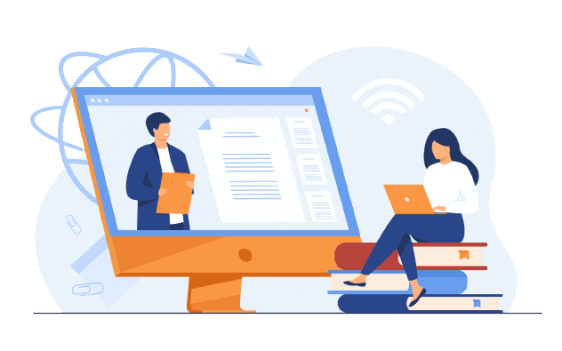
Secure Remote Desktop & Remote Access Software for Windows
Looking for secure remote desktop software that is simple to use? RemoteToPC provides reliable remote access to Windows computers for individuals, businesses, and IT teams. Connect to office, home, or remote PCs from another computer, mobile device, or web browser and securely access the systems you need from anywhere.
RemoteToPC supports remote work, unattended access, remote computer support, troubleshooting, training, and day-to-day PC management. Whether you need to access an office computer while traveling, help another user, or manage multiple remote computers, RemoteToPC provides a straightforward way to connect without complicated setup.
For businesses and IT professionals, RemoteToPC also provides remote access and control software for larger numbers of computers, multiple users, monitoring, alerts, and practical system management. Plans scale from simple remote PC access to remote support and IT-focused deployments.
Remote Access Software for Teams & IT Professionals
RemoteToPC provides remote computer access software for teams, businesses, and IT professionals that need secure access to multiple computers and users. Team plans support multi-user remote access, while Enterprise plans provide greater scale and additional tools for IT departments, consultants, and service providers.
Administrators can securely access office computers, support remote users, organize systems, and manage multiple PCs and Macs from one account. Features include unattended remote access, remote printing, file transfer, multi-monitor support, computer grouping, user management, system information, monitoring, and alerts.
IT plans also let you end running processes and start, stop, or restart Windows services without opening a remote desktop session.
Explore Remote Monitoring & IT Management Tools →
For larger organizations, RemoteToPC provides scalable remote access and control software for managing 100 or more computers. IT teams can provide remote support, monitor computer health, organize devices and users, and access remote systems from virtually anywhere.
RemoteToPC also offers attended remote support through Remote Rescue, giving technicians a fast way to connect to a user’s computer for on-demand help without requiring permanent unattended access.

Remote Access Software Pricing & IT Plans
Simple, transparent pricing. Billed yearly
Remote Access Software Plans
Affordable remote desktop access for individuals, small businesses, offices, and teams.
Basic
Single user-
10 Remote Computers
-
Unlimited Remote Sessions
-
Remote Desktop Access
-
Multi-to-Multi Monitor Support
-
Remote Printing & File Transfer
-
Best for individuals and very small businesses
Business
Single user-
20 Remote Computers
-
Unlimited Remote Sessions
-
Remote Desktop Access
-
Multi-to-Multi Monitor Support
-
Remote Printing & File Transfer
-
Best for small businesses that need access to more computers
Teams
Multi-user-
Unlimited User Accounts
-
50 Remote Computers
-
Unlimited Remote Sessions
-
Shared Team Access
-
Remote Desktop Access
-
Multi-to-Multi Monitor Support
-
Remote Printing & File Transfer
-
Best for growing teams, offices & shared access
IT Starter
Remote access + IT visibility-
Unlimited User Accounts
-
100 Remote Computers
-
Monitoring & Alerts
-
Advanced System Information
-
Process & Service Management
-
Reboot / Safe Mode / WoL
-
Deployments
-
System & User Grouping
-
Unlimited Remote Sessions
-
Best for IT teams that need control and visibility
Computer-based pricing
Not per user

Unlimited remote sessions
Work without limits
Built for teams
Simple collaboration

Scales with you
IT plans from 100–1,000+ PCs

Need monitoring, alerts, and more IT visibility?
Start with Teams, or move to IT Starter or IT Pro when you need more control.
IT Starter • 100 PCs
IT Pro • 250 PCs
Larger plans below ↓
IT Management Plans
Remote access and IT management for teams that need monitoring, alerts, system information, and control across more computers.
IT Pro
For small IT teams-
Everything in IT Starter
-
250 Remote Computers
-
Unlimited User Accounts
-
Unlimited Remote Sessions
-
Best for small IT teams
IT Team
For growing IT departments-
Everything in IT Starter
-
500 Remote Computers
-
Unlimited User Accounts
-
Unlimited Remote Sessions
-
Best for growing IT departments
IT Business
For larger IT organizations-
Everything in IT Starter
-
1000 Remote Computers
-
Unlimited User Accounts
-
Unlimited Remote Sessions
-
Best for larger IT operations
Enterprise
For large deployments-
Everything in IT Starter
-
1000+ Remote Computers
-
Unlimited User Accounts
-
Unlimited Remote Sessions
-
Best for enterprise environments
Remote Access & Control Software Features
During a remote session, technicians and users can control the desktop, transfer files, print remotely, chat, use multiple monitors, and perform everyday remote support tasks.
Unattended Remote Access
We've made it simple to access a remote PC with our always on, remote computer access software. So, you can access your Windows or Mac whenever you want
Unlimited Concurrent Remote Sessions
We don't limit how many different unattended remote pcs you can connect to at once like other remote computer access programs do.
Unlimited Additional Accounts
Add user accounts for the whole office and assign what remote computers they can get to. With our Teams or Enterprise subscriptions you can add user accounts for everyone in your office assigning which remote computers they have access to.
Access a remote PC from Any Device
Our Web based viewer and Native Applications allow you to access a remote PC or Mac from any smart-phone, tablet, or operating system.
Email User Link to Share Computers
You can email a link to people and have them install the RemoteToPC remote administration software on any computer you want to remotely access.
Batch Multi-System
Deployment (domain-only) Use scripts or an app to install on hundreds of remote computers in a domain at the same time with a silent install.
Computer Grouping & Search
Assign computers to groups to manage or assign which specific users are able to remotely access them.
Fast peer-to-peer first connections
Over 97% of our remote tunnels are direct P2P, not relayed, for faster, and more secure remote access for computers.
Remote Connection to PC or Mac
Our software to remote access computers installs on Mac or PC computer systems. You can then access those computers from any device, through our native PC app, or through any modern browser.
Multi-User Management
Assign users to access only specific remote computers, groups, or the ability to add more remote computers. With Teams or Enterprise plans you can assign users to access only specific remote computers, groups, or the ability to add more remote computers
Attended Remote Access
Our Remote Rescue Attended Remote Access is ideal for Tech Support users to provide instant remote support to users and customers.
Browser based Remote Access
RemoteToPC provides both an advanced remote access application and a browser based remote access straight from your command center.
Remote Desktop Control & Support Features
During a remote session, users and technicians can control the desktop, transfer files, print remotely, use multiple monitors, chat, and perform everyday remote support tasks.
Multi-to-Multi Monitor Pop-out screens
Dual-monitor remote access (or as many monitors as you need) is no problem with pop-out remote screens.
Remote File Transfer
Easily transfer your files between remote PCs.
Remote Printing
Print documents from your remote PC to a printer on your local PC
Block Remote Mouse/Keyboard
Block Remote Mouse/Keyboard Block the remote users input so you can "take over" that PC without interruption.
Chat
Have a chat with the person on the remote computer that you connect to
Drag and Drop File Copy
Drag-and-drop file copy between either the host or viewer computer
Why Choose RemoteToPC Remote Access Software?
Comprehensive Solutions
We think ours is the best remote access program for the price, with features like remote printing, multi-monitor support, and file transfer. These capabilities ensure you can work seamlessly as if you were physically present at the remote PC.
Real-Time Monitoring & Alerts
Most remote computer programs don’t include what we do. Our software includes remote monitoring and alerts for CPU, RAM, and disk usage. These features help you stay on top of system performance and quickly address any issues.
Advanced Security Measures
We prioritize your security with EV-SSL, 256-Bit encryption, and two-factor authentication. We prioritize security striving to provide you the best remote desktop program possible, so you can feel secure that your data is protected.
Scalable Plans for All Needs
From personal use to enterprise-level needs, our plans cater to various requirements. Whether you need a remote computer program for a small number of computers or hundreds, we have a plan that fits your needs and budget.
User-Friendly Interface
Our remote desktop access program isdesigned with simplicity in mind, featuring zero-configuration installation. This ease of use means you can get started quickly and focus on your tasks without hassle.
Cross-Platform Compatibility
Access your remote desktop from Windows, Mac, Linux, iPhone, or Android devices. This wide compatibility ensures that you can stay connected and productive regardless of the device or platform you use.
Need Unattended Remote Computer Access Software? Try RemoteToPC out for free.
Start your free two week trial right now, and see why we think you'll love RemoteToPC.
User Reviews

"My go to remote computer viewer"
I use RemoteToPC daily. I work in one place and have to do tasks such as remote printing where I need access to an offsite computer. It is easy to work remotely, even with memory heavy apps like Photoshop. Lag is at a minimum. I also like being able to move files between computers, it's faster than moving to a cloud storage and then downloading.

"Works well especially for small companies"
Functionality with reasonable costs make it very usable especially for the end user to work from home.
"Works easily,delivers fast and reliable connections"
After moving 55 machines to RemoteToPC and having a week of everyday remote use with these machines I'm more than delighted with this product/service. It is easy to learn the install options and the operational control panel follows the easy to install with easy and dependable to use.
Secure Remote Access Software for Windows
Software to access remote computers thats easy to us and affordable!
Local App
Bypass your browser page and use RemoteToPC locally
Email Installer
Email and install link to a user to host their PC for your access
Logs
Downloadable logs of all logins, computer and user account creation or deletion
Remote Printing
Print documents from the host computer to your local printer
Free Tech Support
Enjoy tech support where you’re important to us
Frequently Asked Questions
RemoteToPC ensures secure desktop remote access through advanced encryption and two-factor authentication, protecting your data during remote sessions.
Remote computer access software like RemoteToPC enhances your remote work setup by providing secure and efficient remote access, allowing you to stay productive and connected from any location.
RemoteToPC‘s remote desktop access software includes features like secure connections, file transfer, multi-platform support, remote printing, and robust customer support.
RemoteToPC uses advanced encryption protocols and two-factor authentication to secure your remote connections and protect your data.
Yes, RemoteToPC is designed for easy installation and setup. You can quickly install the software on your devices and start using it with minimal technical knowledge.
RemoteToPC offers 24/7 customer support to assist with any issues. You can contact our support team via phone, email, or live chat for prompt assistance.
Yes, RemoteToPC offers mobile apps for iOS and Android, allowing you to access your desktop remotely from your smartphone or tablet.
Yes, RemoteToPC provides unattended remote access, allowing you to connect to your computer even when no one is present at the remote location.
RemoteToPC offers various pricing plans to fit different needs, including a Basic plan for $99 per year and a Business plan for $199 per year, each providing extensive remote access capabilities. Enterprise plans that come with remote monitoring start at $399 per year.
RemoteToPC is compatible with Windows, Mac, iOS, and Android devices, offering cross-platform support to meet diverse user needs.