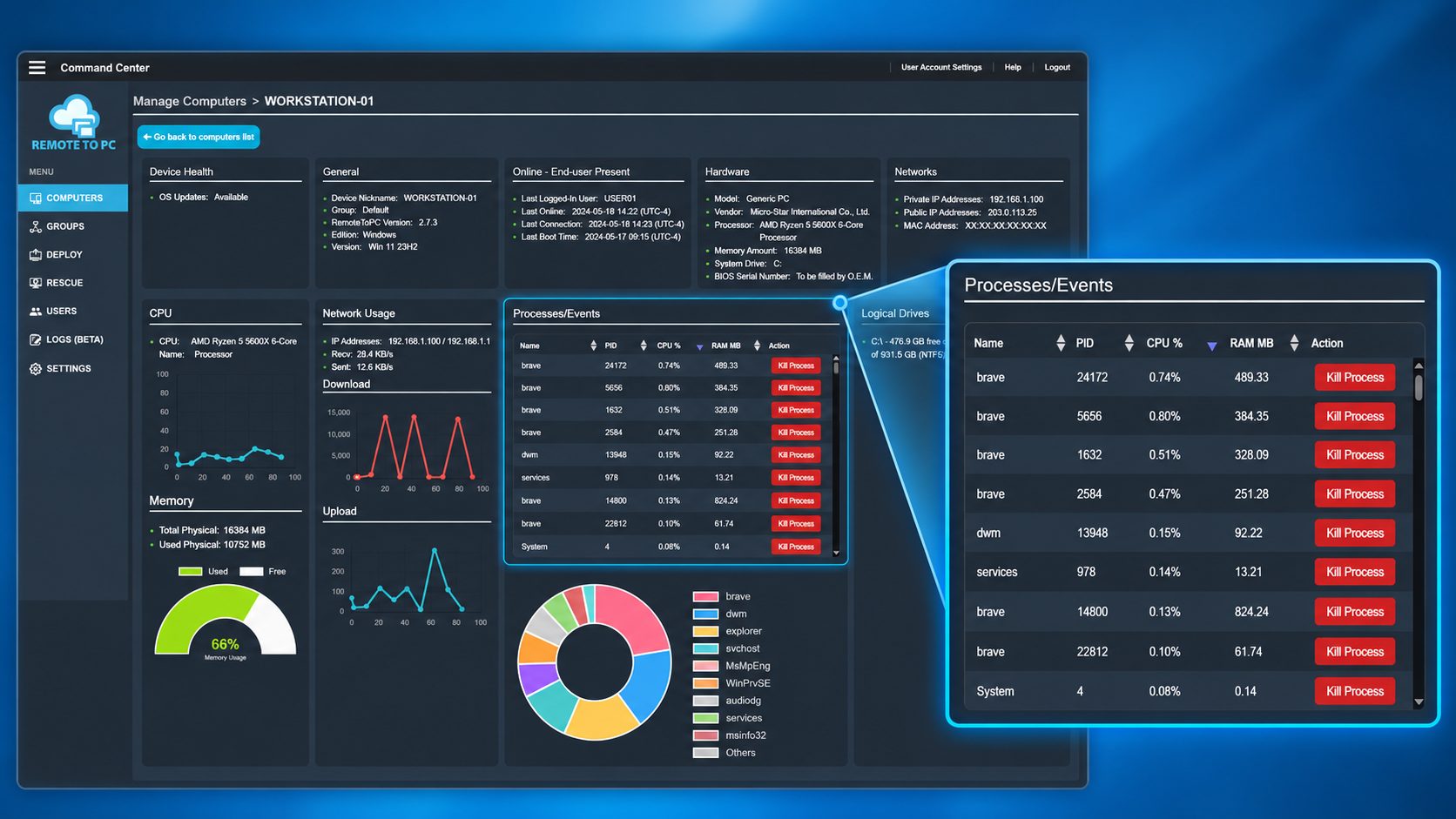
New capability lets IT administrators monitor running processes and terminate unresponsive applications without opening a remote desktop session.
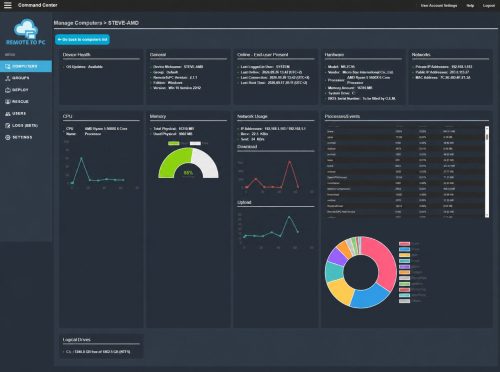
FORT WORTH, Texas — October 14, 2026 — RemoteToPC, a provider of secure remote access and lightweight IT management software, today announced a new remote process management capability within its Advanced System Information dashboard. The update allows IT administrators and support technicians to view running processes, monitor resource consumption, and terminate problematic processes directly from the RemoteToPC Command Center.
Troubleshoot Remote Computers Without Taking Over the Desktop
When a computer slows down or an application becomes unresponsive, IT technicians often need to initiate a remote desktop session simply to open Windows Task Manager and investigate the problem.
RemoteToPC’s new process management capability simplifies this workflow by providing process visibility and control directly within its browser-based management interface.
IT administrators can now:
- View running processes: Identify active processes on managed Windows computers.
- Monitor CPU and memory usage: See which processes are consuming system resources.
- Identify processes by name and PID: Quickly locate applications that may be causing performance issues.
- Terminate problematic processes: End selected processes remotely using the new Kill Process button.
- Troubleshoot without opening a remote desktop session: Perform common diagnostic and management tasks directly from the Command Center.
This approach can help IT teams respond more efficiently to frozen applications, excessive resource consumption, and routine performance issues.
Expanding RemoteToPC’s IT Management Capabilities
The new functionality builds on RemoteToPC’s existing Advanced System Information tools, which provide remote visibility into hardware specifications, operating system information, CPU and memory usage, network activity, logical drives, and system health.
RemoteToPC also offers monitoring alerts, server heartbeat monitoring, remote reboot, Wake-on-LAN, Safe Mode restart capabilities, and bulk computer management.
Together, these capabilities provide internal IT departments and small managed service providers with practical tools for monitoring and managing computers without the expense or complexity of a full-featured Remote Monitoring and Management (RMM) platform.
Designed for Internal IT Teams and Small MSPs
RemoteToPC’s approach focuses on providing the everyday capabilities IT professionals need most: unattended remote access, computer monitoring, system information, and essential remote management actions.
With computer-based pricing and unlimited user accounts and remote sessions on eligible IT plans, RemoteToPC offers a straightforward alternative for teams seeking more functionality than traditional remote desktop software without adopting a comprehensive RMM solution.
More than remote access. Less than a full RMM.
Availability
Remote process monitoring and termination are available through RemoteToPC’s Advanced System Information feature on supported IT management plans.
To learn more about RemoteToPC’s remote monitoring and management capabilities, visit:
https://remotetopc.com/remote-management/
About RemoteToPC
Founded in 2016, RemoteToPC provides secure remote access, unattended remote support, and practical IT management software for businesses, internal IT departments, and managed service providers. The platform combines remote desktop access with computer monitoring, alerts, advanced system information, and essential management tools in a cost-effective, easy-to-use solution.
Learn more at https://remotetopc.com/.